
European budget planner and expense tracker
Get your finances in order.
Track your income and expenses and see what you could have left at the end of the year. Connect your European bank account and let Spendle categorise your transactions automatically. Get started step by step.
Encrypted with your own password · Privacy
See where your money goes
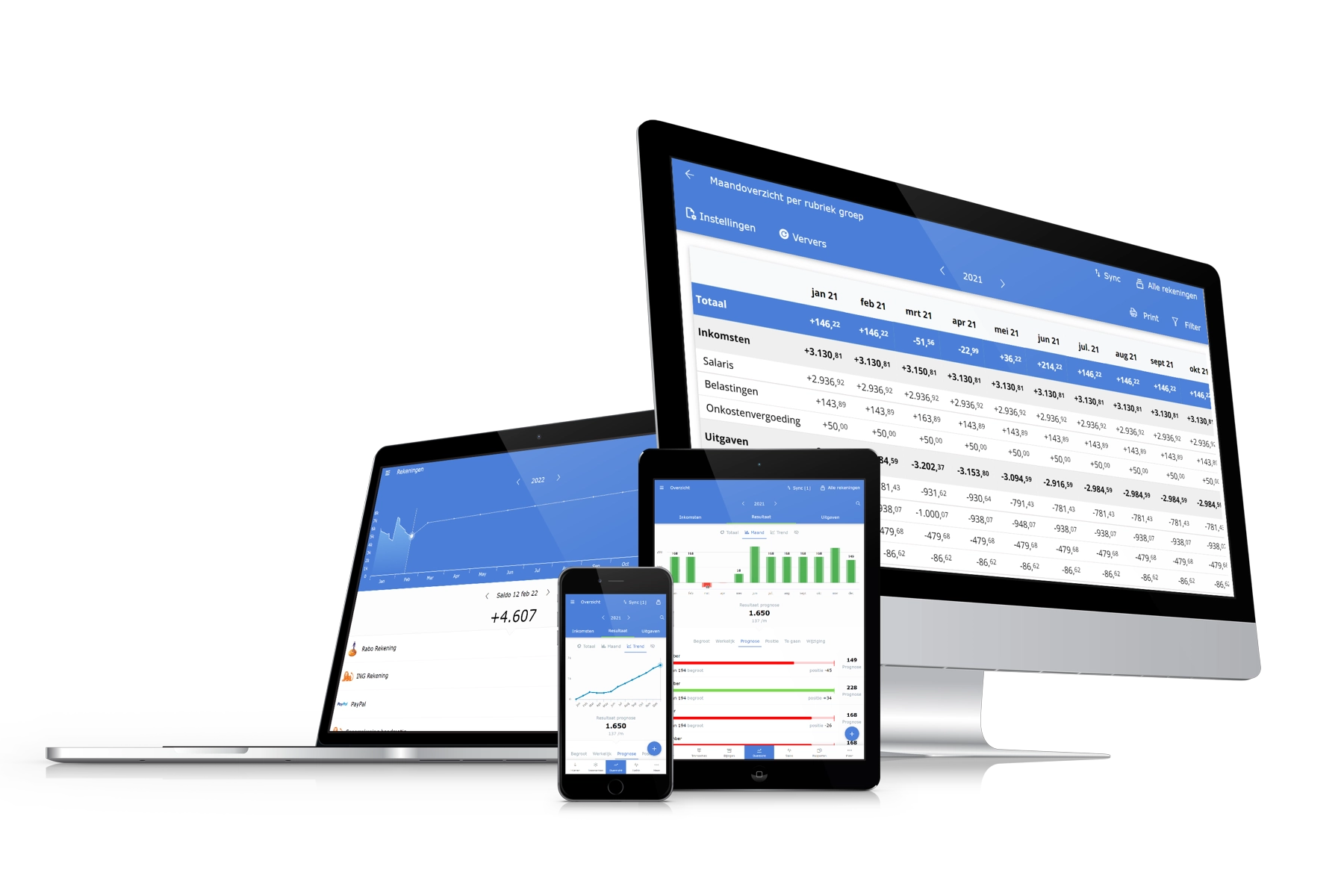
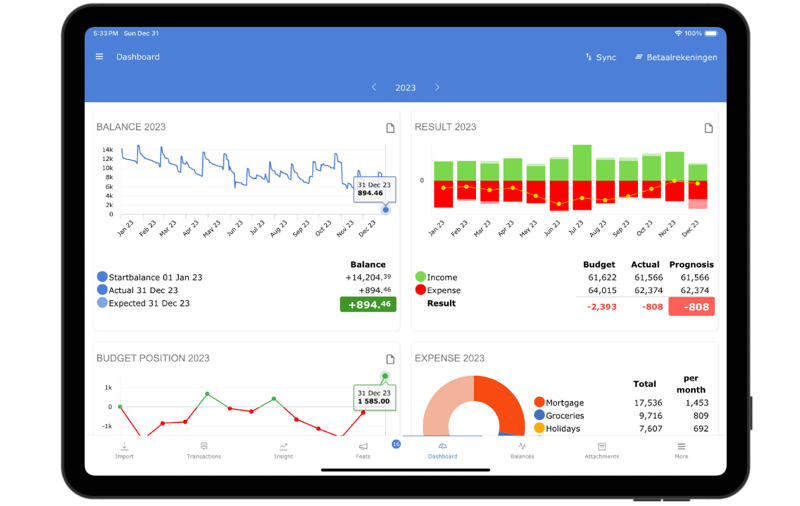
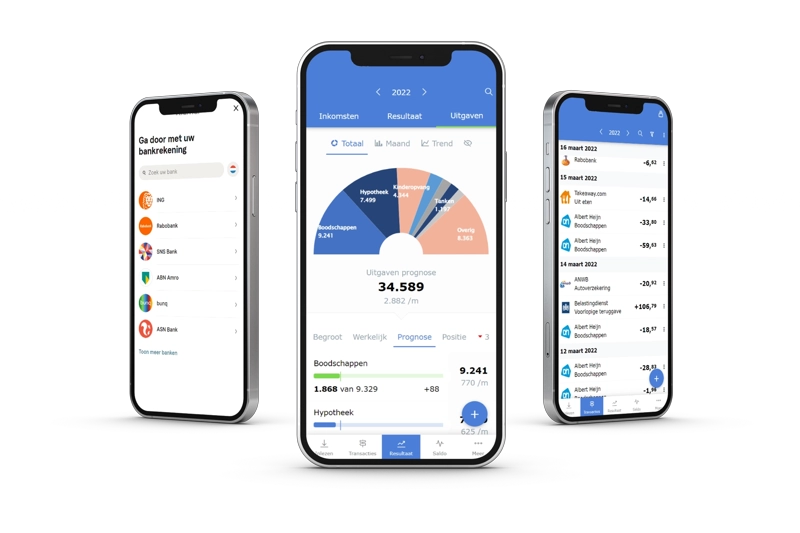
Your dashboard shows what you spend your money on, with all your accounts together. Your bank sends the transactions. Spendle suggests a rule each time you assign a category, so after a few weeks most of it happens automatically.
Spendle helps you answer questions like:
Budget your monthly income and expenses
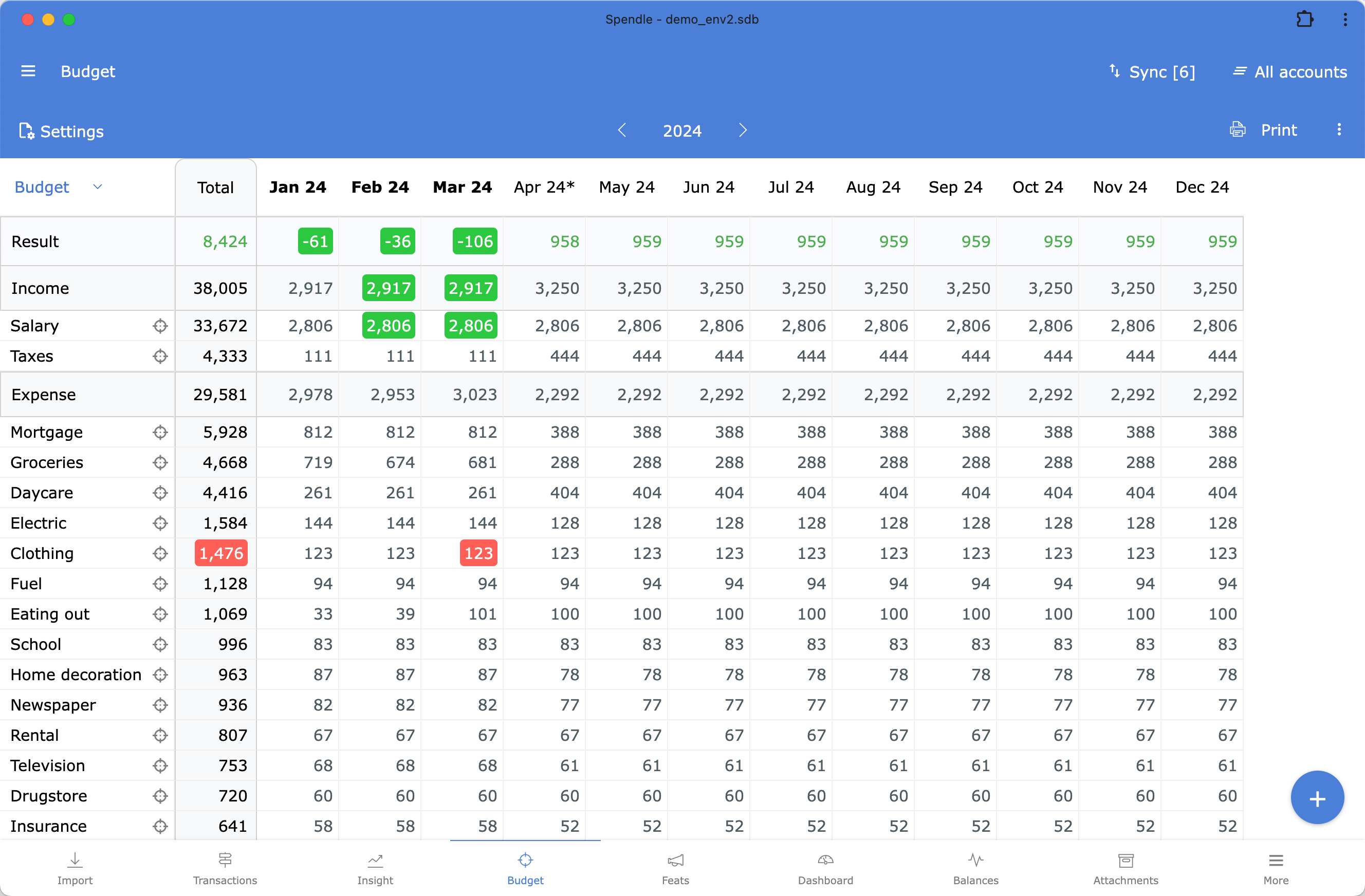
Create or generate a budget for your monthly income and expenses. With a budget, you can make a plan, set goals, and check at any time whether your income and expenses are within the budget. Creating a budget will help you become much more conscious about your finances.






Bank synchronisation
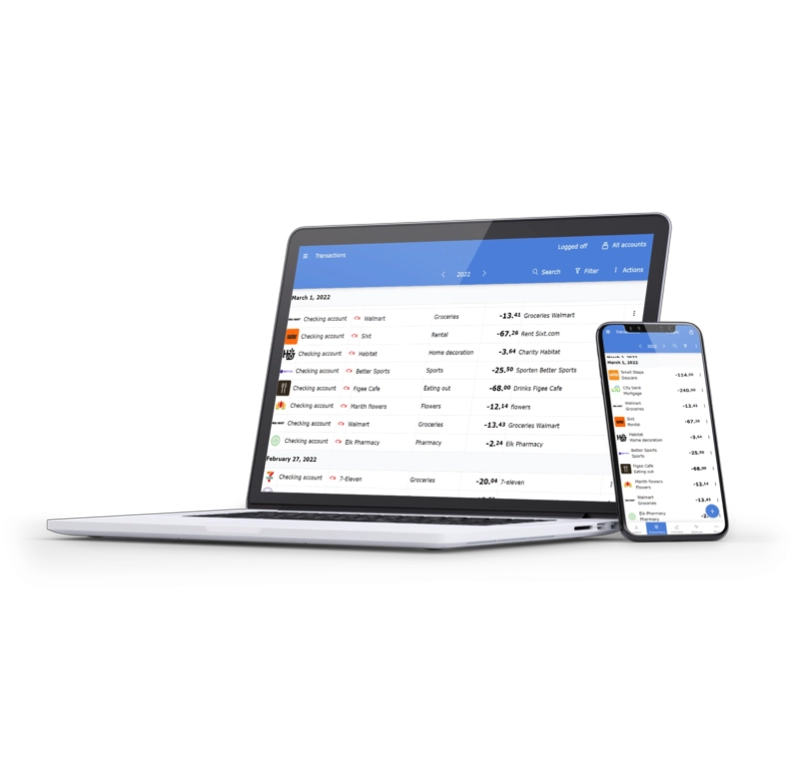
Spendle integrates with thousands of European banks through a secure PSD2 connection. Additionally, you have the flexibility to manually input transactions or import your bank statements in Excel, CSV, or OFX formats.Already using another budgeting app? You can often import your existing transactions into Spendle. See which programs Spendle recognises.






All in one place
Spendle is a cross-platform app which allows you to work seamlessly on your PC, tablet and phone. Just synchronise your data across your devices and have your personal finances accessible anytime, anywhere.
Features
What the personal finance app Spendle does for you. Click an item or swipe through the examples.
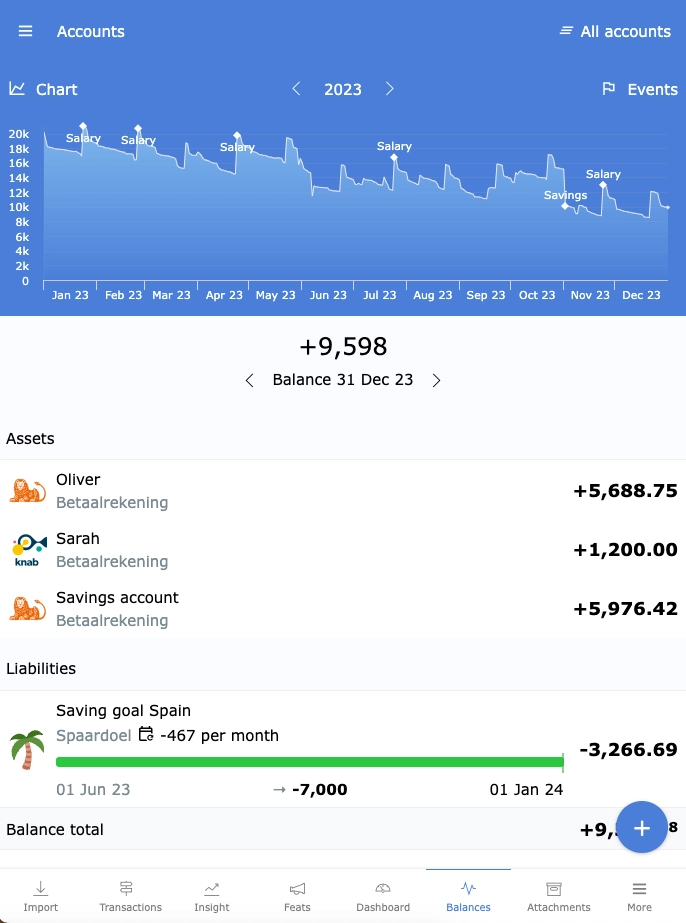
All in 1 place
Manage all your different bank accounts in 1 financial app on every device.
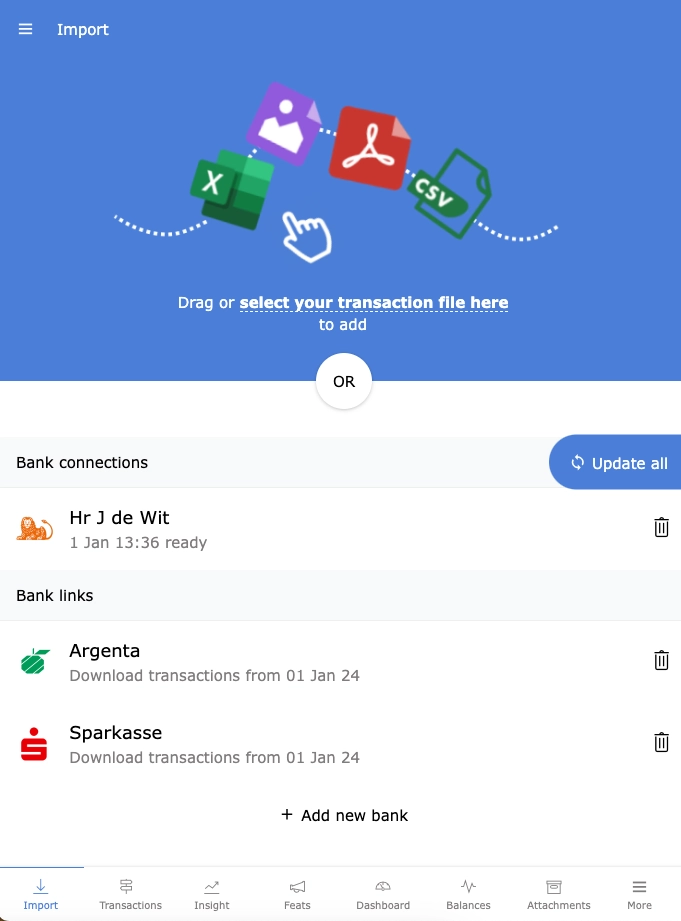
PSD2 bank synchronisation
Spendle integrates with thousands of European banks through a secure PSD2 connection or import your bank statements in Excel, CSV or OFX format.
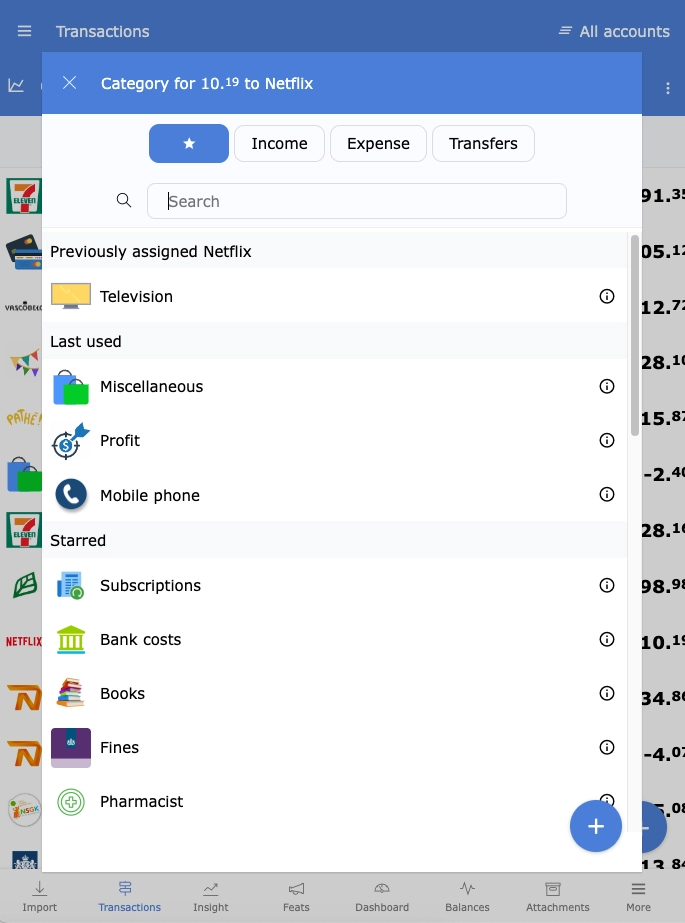
Assign categories automatically
Automatically assign a category to your transactions, get a better understanding of your Spending behaviour and identify your unnecessary expenses.
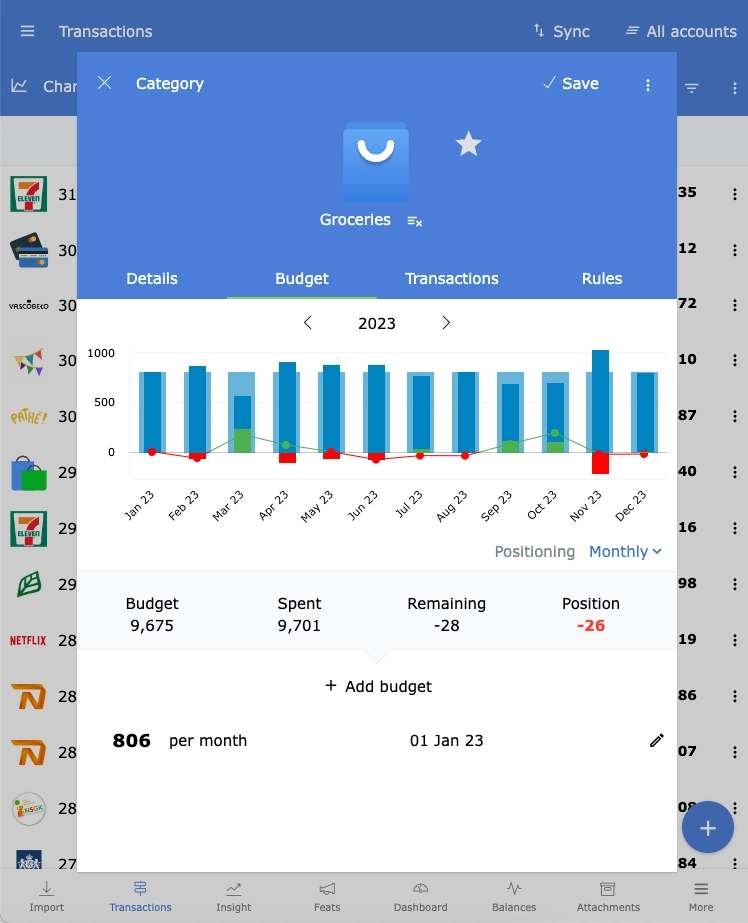
Create and track budgets
Assign a budget to a category to monitor your budget position. Assign a budget to all categories for a detailed projection of what's left at the end of the year.
Manage your finances together
You and your partner use the same administration, each on your own device. Log in with the same Spendle account and synchronise with the Sync button. Avoid making changes at exactly the same time. If you do, Spendle asks which version to load.
Client side encrypted
Login and synchronise your data between your devices encrypted using your own administration password. With the Android or iOS app you can use Face ID or fingerprint biometrics to open your administration.
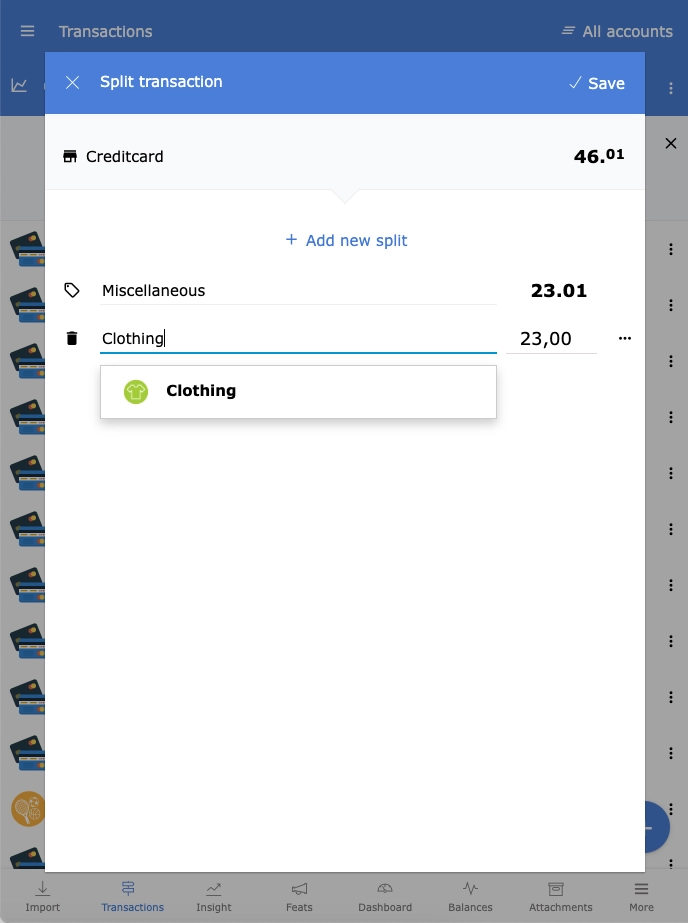
Split transactions
Split a transaction into different categories and create a rule to split transactions automatically in the future.
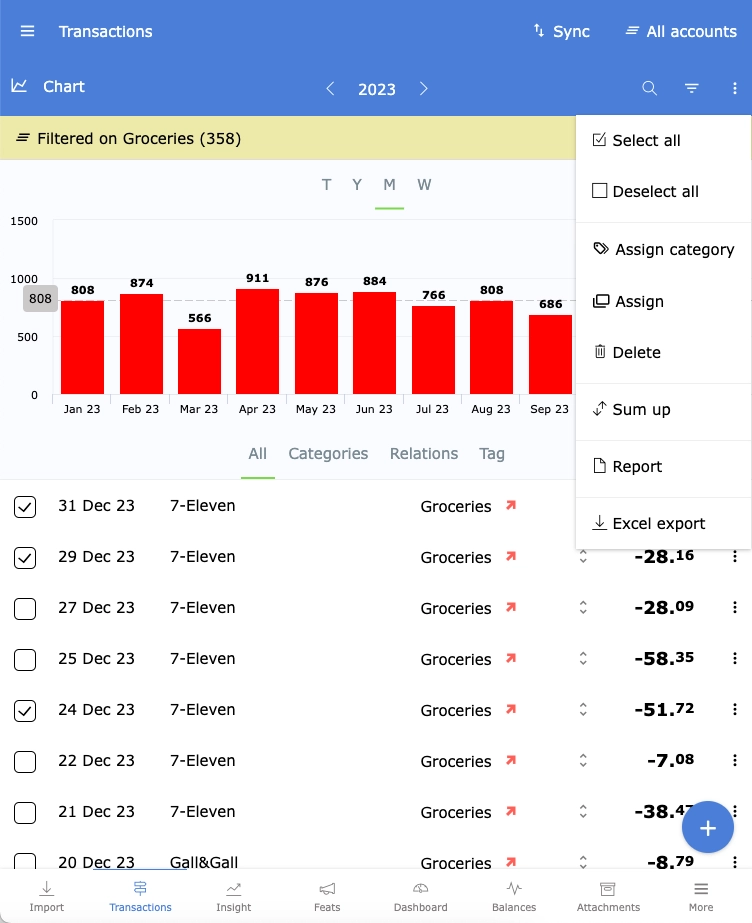
Search, filter and export to Excel
Search, filter, update, visualise and export your transactions to Excel.
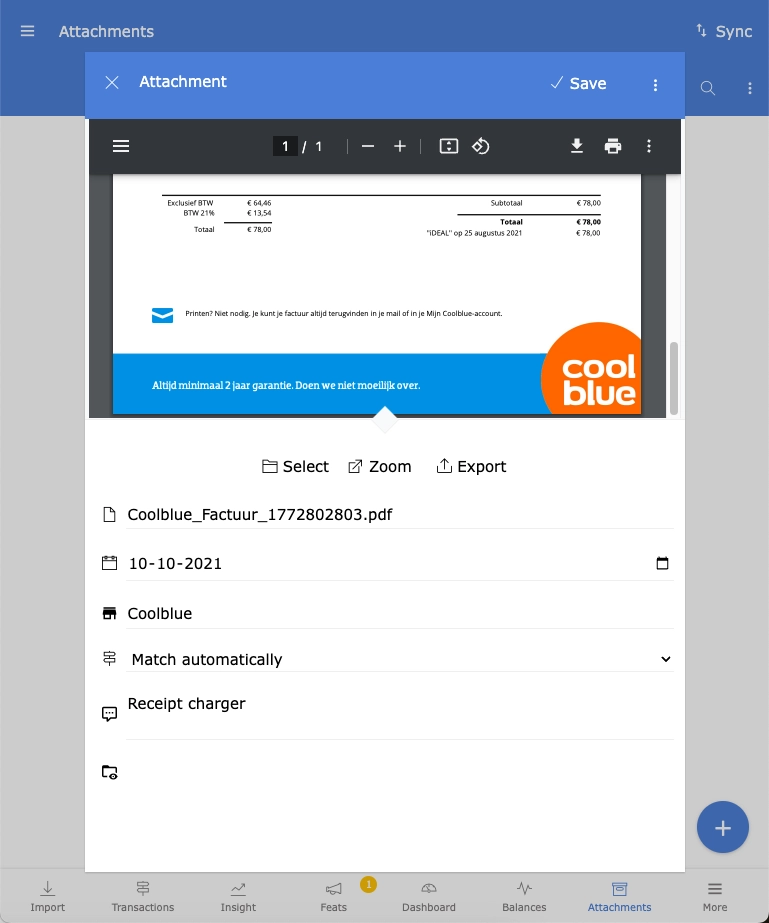
Store digital receipts
Save a photo of a receipt or a PDF document received via email. With the Android and iOS app, you can share photos and documents with Spendle just like you would with WhatsApp or email.
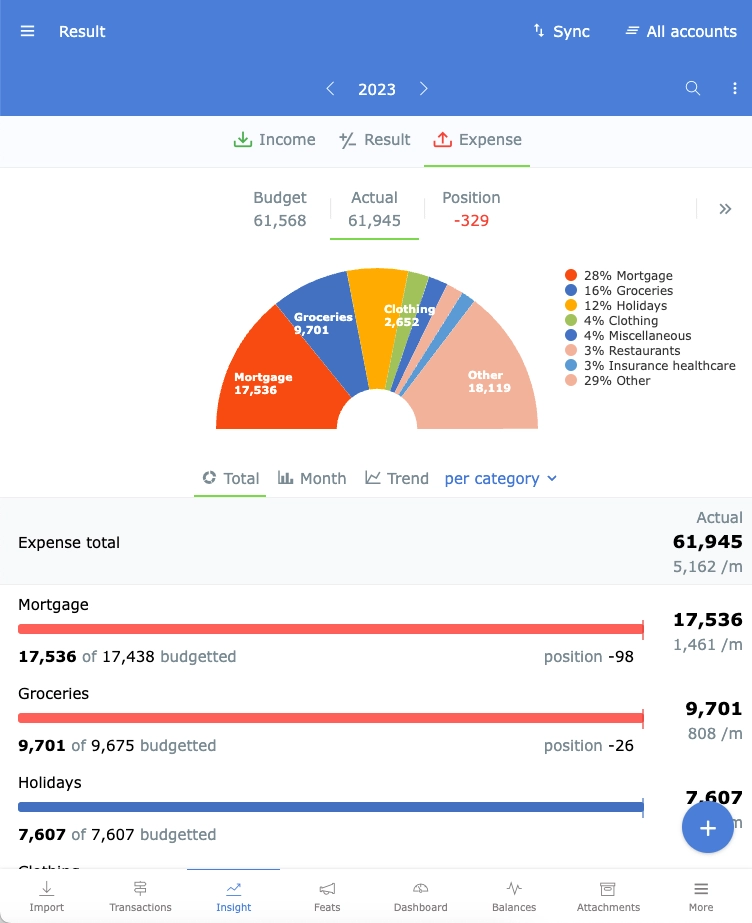
Insight
Browse through your income and spending patterns using the Insight tab. Group and filter by category, group, or month to view your income and expenses from all perspectives.
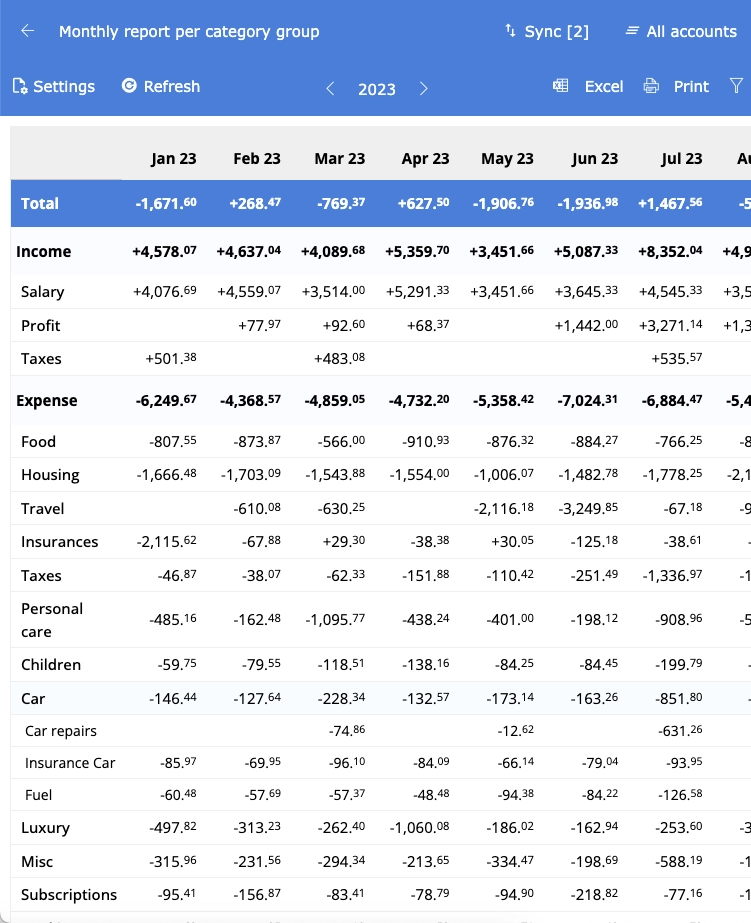
Extensive reporting
Create various summary, budget, transaction, and cashflow reports. Customise your own grouping, sorting, and filters, and drilldown to more details directly from your report. Save your report settings for later use. Print your reports on paper, PDF, or Excel.
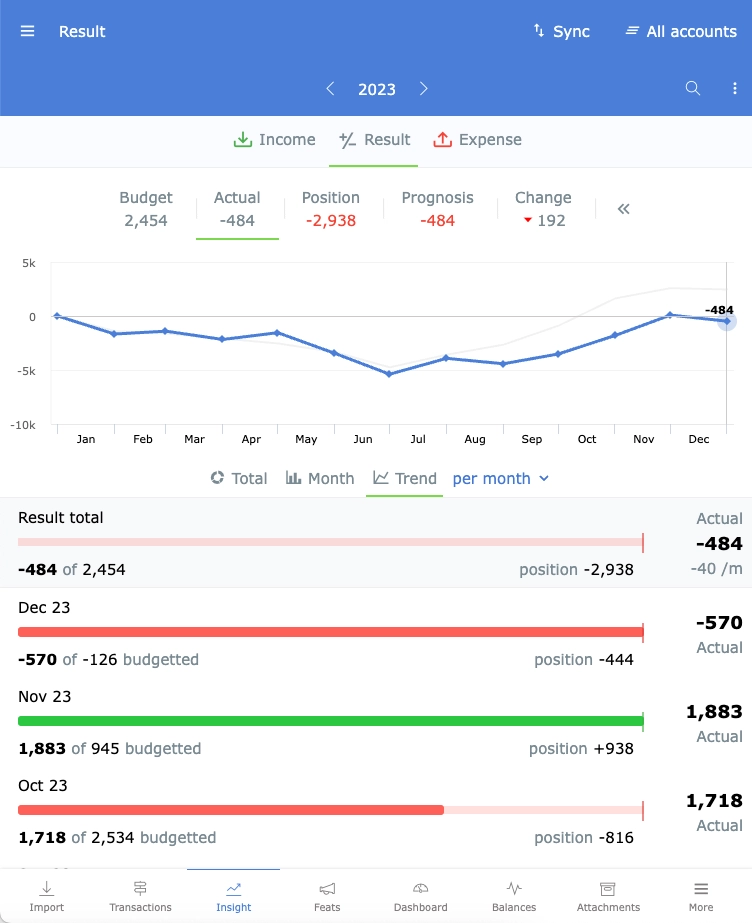
Forecasting
In Spendle you can use your budget as a forecast. Assign a budget to all your income and expense categories, activate the forecast mode, and see how your financial situation develops in the future.
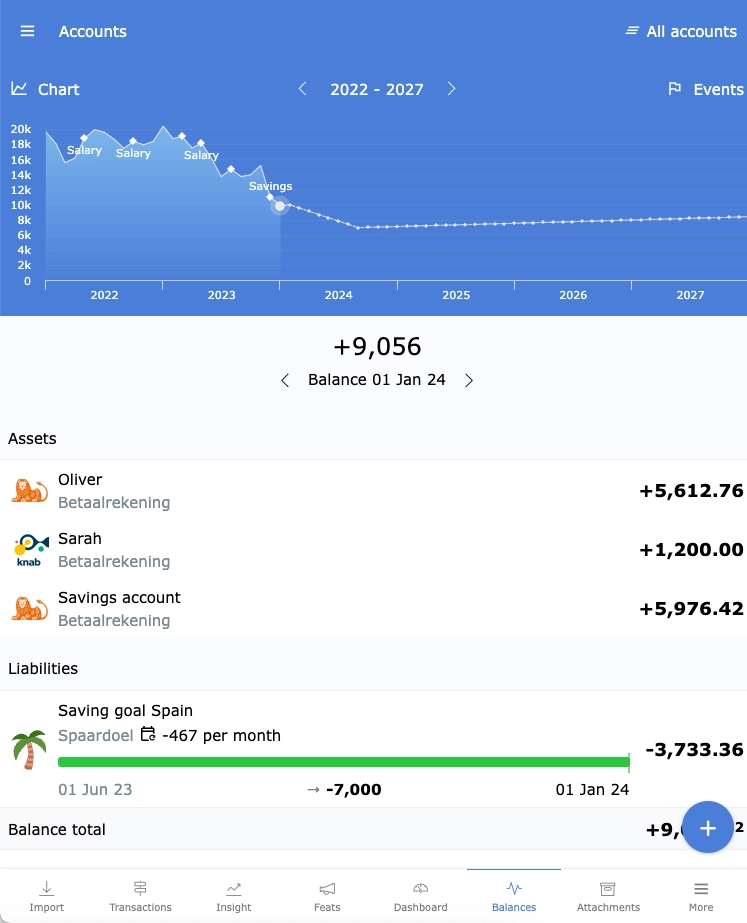
Personal wealth planner
Add all your accounts, debts and savings goals to Spendle for a single overview and projection of your total personal wealth.
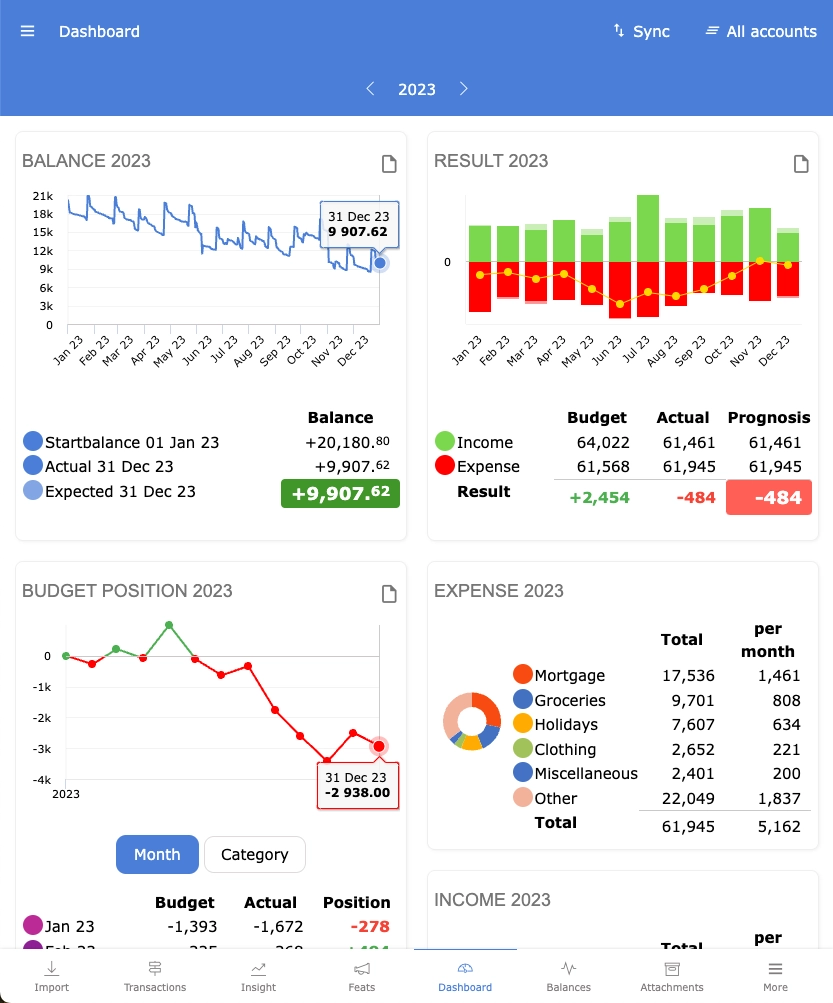
Personal financial dashboard
View all key indicators and trends in your personal finance dashboard. Once your administration is set up, the dashboard assists you in maintaining control over your personal finances.
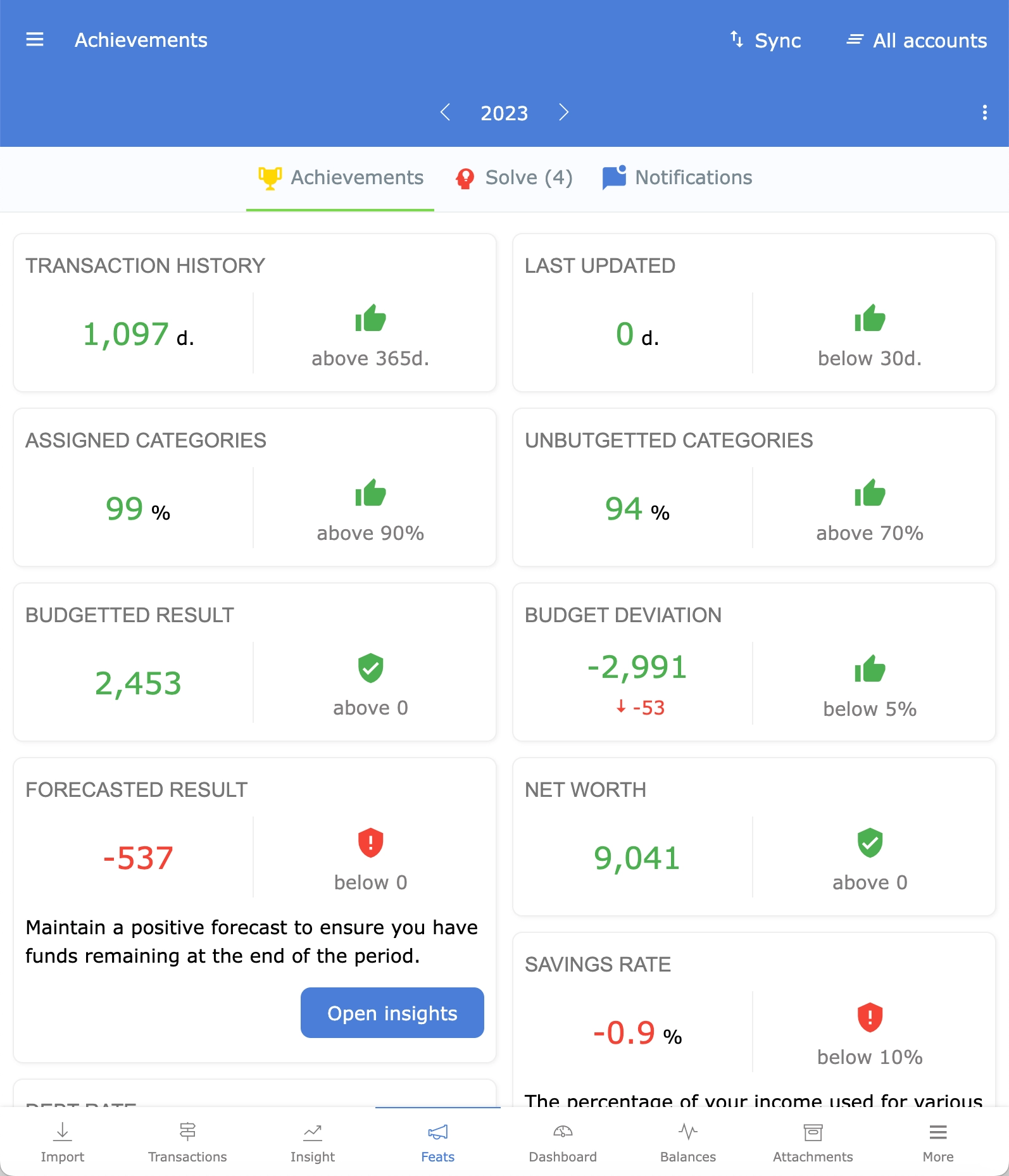
Earn achievements
Spendle achievements guides you step by step in improving your personal finances. You'll earn achievements by updating your transactions, categorising them, budgeting, and maintaining the right balance between your income, expenses, balance, and debts. Notifications for changes in your achievements and budget overruns help you stay better informed.
Synchronise between devices
Update your administration on your PC or your app and effortlessly synchronise encrypted across all your devices via your Spendle account and Sync button.
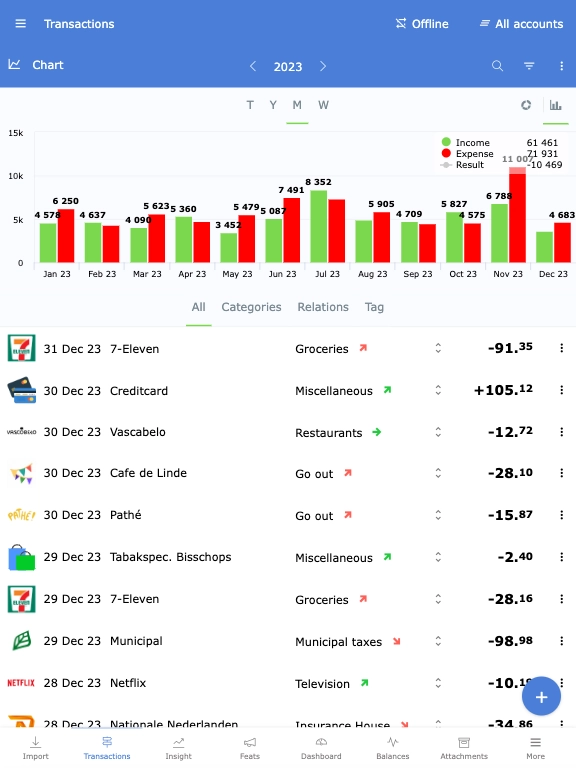
Offline first
With Spendle, you primarily work offline. Your administration is securely stored in your local browser database as a working file. For synchronising between devices and updating your bank transactions you do need an internet connection.
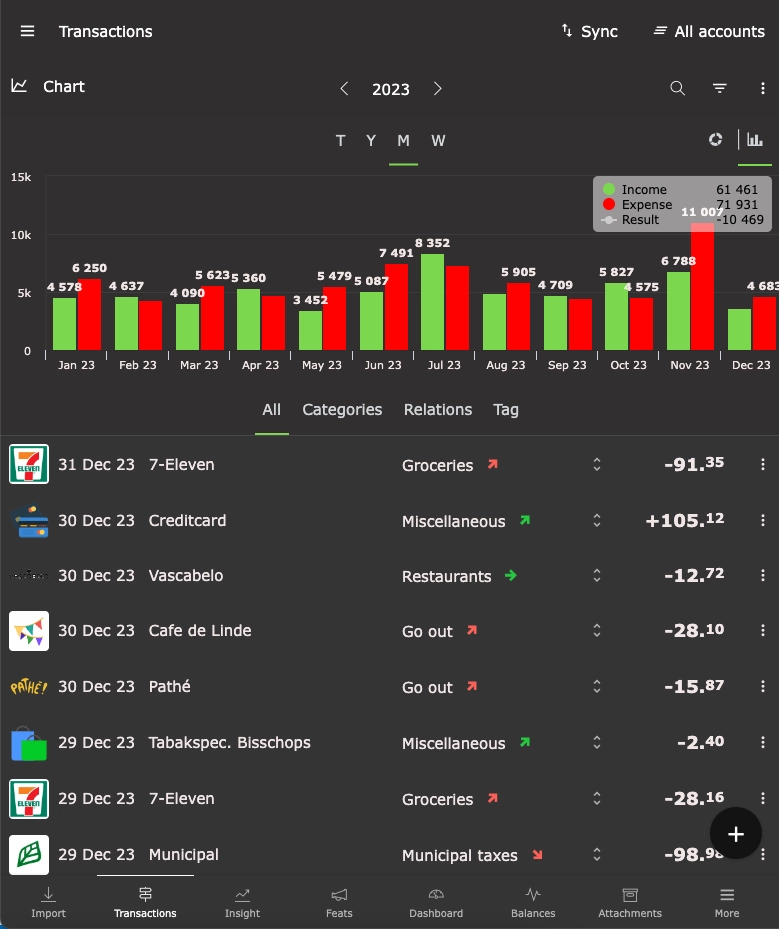
Adjustable theme
Switch between light, dark, or default themes through the settings menu and use Spendle in your favourite colours.
Testimonials
What others say about Spendle

We finally have more insight and control over our finances.
Read the full article by Janneke (Dutch) about Spendle, part of the nationwide 'New Year's Resolutions' campaign in the Telegraaf newspaper of December 29, 2023
From a satisfied user. Finally, a program that combines simplicity and clarity
Thank you for the extensive and pleasant support. It's really a great app, better than Grip and Dyme.
I have used many financial apps privately. Spendle seems to have quite a bit of potential. I have decided to stop the others and work with Spendle for at least 1 year. I hope that it becomes a lasting choice. Excellent!
I've been using Penningmeester for years, but Spendle is even better. So far, I am satisfied. Success for even more customers
I finally found an offline/online accounting tool that is compatible with multiple platforms, not just a smartphone app but also on PC. A tip for the developers: besides being able to search for images online, it would be great if manual uploads were possible. Additionally, having a template for importing Excel files, especially for banks that are not yet compatible, would be helpful, allowing for manual input in such cases.
Compliments to the Spendle app! Initially, I intended to use iBilly but stopped due to its very limited reporting and exporting capabilities. Spendle offers much better features in that regard.
After the demise of Grip, I spent some time searching for a worthy replacement. I came across this slightly less known app, and in my opinion, it's a top-notch product. It can do everything Grip could and much more :) Just a bit of a learning curve.
I've been using Spendle for a few weeks now, and it's truly a top-notch product. Very satisfied.
I switched from Cashflow to Spendle. The price of Cashflow keeps increasing for the purpose I use it for managing my finances. Hopefully, the price of Spendle remains at €20 per year for a while.
I'm curious to see what other great features will be added to this app. The dashboard was already a fantastic addition.
Spendle is indispensable to me as an online 'household ledger.' The app provides many analysis options and convenient overviews. I've been using the app for 4 months now, and it works seamlessly and quickly on all devices.
This app is exactly what I was looking for. It's actually great ! I've tried a couple of similar apps before, but you really beat them all (I tried & subscribed to spendee for 6 months, and tried a couple of others).
The encryption, PWA, and PSD2 are excellent upgrades that I haven't encountered in that combination before.
I find the direct link with the banks to be THE major advantage
I am a (former) Penningmeester user and am very happy that this beautiful app is now available cross-platform (Mac/iOS/Windows). Very pleased with the automatic import. Very happy with it! Keep up the good work!
Nice tool, definitely an upgrade from my spreadsheet.
Nice product, convenient with the app, and hope that it stays in development for the time being.
I can't do without it anymore!
Fantastic for us, no more lugging around the laptop
It's put together exceptionally well and better than anything I've found so far.
Not everything is always equally clear, but the latest update was very nice.
Easy to use and immediate insight in my personal finances.
Discovered Spendle yesterday, and from what I've seen so far, I'm very enthusiastic!
Safety and privacy
Your money, your choices
Set up your finances the way you want, with your own categories and budgets.
With Spendle, you primarily work offline. Your data is stored locally encrypted on your device. Only you can unlock your data with your self-chosen administration password. You can read how Spendle handles your data in the privacy statement. How to set up security is explained in the article Security and privacy.
Offline
Your data is stored locally encrypted.
Client side encrypted
Encrypted synchronisation between your devices.
Biometric Login
Login with your fingerprint or Face ID if you are using the Android or iOS app.
Start your free trial
New to Spendle? You start here too. The first 14 days are free.
App for Android and iOS
For phone and tablet. Log in with fingerprint or Face ID.


The terms of use and the privacy statement apply to the use of Spendle.
Notes on the web app
The web app runs in a recent version of Chrome, Edge or Safari. On your phone you can add Spendle to your home screen. It then starts like a separate app.
Setup your administration
After installing Spendle, follow these steps to set up your administration and organise your finances. In about 30 minutes you have a first overview of your finances.
-
Create an Account
Log in with your Spendle account, register a new one, or take a look around first.
-
Import transactions
Link your bank account via a PSD2 connection or import your CSV transaction files.
-
Categorise transactions
Assign a category to your transactions and create a rule to automatically categorise transactions in the future.
-
Set budgets
Optionally set a budget for each category.
-
Monitor your finances
Use the dashboard, insights, and reports to analyse and adjust your finances as needed.
-
Licence
After the 14-day trial period, you can purchase a licence within the app or web app or cancel your account.
Spendle 1 year
- Access to all features described on the website
- Technical support via email
- Free bug fixes and updates
- Unlimited CSV transaction file imports
- Maximum 2 PSD2 bank connections*
- Store up to 1GB of attachments
- Manage up to 3 administrations
* Additional PSD bank connections are available in the web app for €4.40 each.
After the 14-day trial period, you can purchase a licence within the app to continue using Spendle. You can manually renew your licence annually and pay with Stripe, Google Pay, or Apple Pay. There is no automatic debit commitment.
€23 per year
No automatic renewal
Support
Got questions about Spendle? Check the frequently asked questions below or visit the spendle.me support website for news and detailed information about using Spendle. Notices about maintenance, outages and changes are published on this website and on spendle.me.
* Important: your administration password is used to encrypt your data. Keep this password carefully, because there is no way to recover it if you lose it.
- Click on the created PSD2 bank link and choose a longer period to import. The range depends on your bank.
- Download a transaction file from your bank and import it by dragging the file into Spendle or uploading it in the "Import" tab.
- If the file is not supported, you can create a custom definition or use this Excel template to import your existing transactions.
To avoid duplicates, it's better not to import overlapping periods from PSD2 and CSV files.
If duplicates have occurred, you can set the filter special to possible duplicates in the transactions and manually delete any duplicates.
| Daily | The position relative to the budget is determined daily. Intended for categories with a daily recurring nature, such as groceries, miscellaneous. |
| Monthly | The position relative to the budget is calculated at the end of the month. Handy for monthly recurring categories such as rent, salary, mortgage, subscriptions, and clothing. |
| Yearly | The position is determined at the end of the year. Intended for categories that occur randomly throughout the year, such as holidays, hairdresser, and tax refunds. The budget is sliding with this method. For example, if no money is spent in January, the budget is distributed over the remaining months in that year. If the budget is exceeded before the end of the year, the exceeding amount is immediately included in the position. |
- To keep Spendle affordable, no personal or individual support is offered. For general information and detailed explanations, please first check the support page on spendle.me.
- For support or setup questions, it can help to consult ChatGPT.
- Issues with the PSD2 connection? Check the GoCardless status page .
- Suggestions or improvements? Share them via the idea box .
-
Couldn't find the answer there? Then contact us at
info@spendle.com.
Urgent questions or issues are typically handled within 2 working days. For other questions, please allow a longer turnaround time.
A clearly and politely worded question helps us reply faster and more carefully.